
How Product Data Powers Automated POS Artwork
In retail, brands are under constant pressure to deliver visually compelling point-of-sale (POS) materials across multiple channels, formats, and regions. Traditionally, creating this artwork has been a manual, time-consuming process involving designers, marketers, and production teams working in silos. However, the rise of structured product data and automation technologies is transforming how POS artwork is created, scaled, and deployed.
At the heart of this transformation lies product data. When properly structured, enriched, and centralised, product data becomes a powerful engine that can drive the automated generation of POS artwork, reducing production time while increasing accuracy and brand consistency.
What Is Product Data?
Product data refers to all the information associated with a product. This includes basic attributes such as product name, description, SKU, and pricing, as well as richer content like images, videos, specifications, certifications, and marketing copy. Increasingly, product data also includes localisation elements such as language variations, region-specific pricing, and compliance information.
When stored in a centralised system, such as a Product Information Management (PIM) platform, this data can be accessed, updated, and distributed efficiently across various channels, including POS systems, e-commerce platforms, and marketing automation tools.
The Challenge of Traditional POS Artwork Creation
Creating POS artwork manually involves multiple steps: gathering product information, briefing designers, creating layouts, reviewing drafts, and making revisions. This process is not only time-intensive but also prone to errors. A simple pricing update or product change can trigger a cascade of revisions across multiple assets.
Plus, as brands expand into new markets and channels, the volume of required POS materials increases exponentially. Different store formats, seasonal campaigns, and localised messaging all demand variations of the same core artwork. Managing this complexity manually becomes unsustainable.
Automation for POS
Automation addresses these challenges by connecting structured product data directly to design templates. Instead of designing each piece of artwork from scratch, brands can create dynamic templates that pull in product data automatically. These templates can be configured to adjust layouts, text, images, and even colours based on predefined rules.
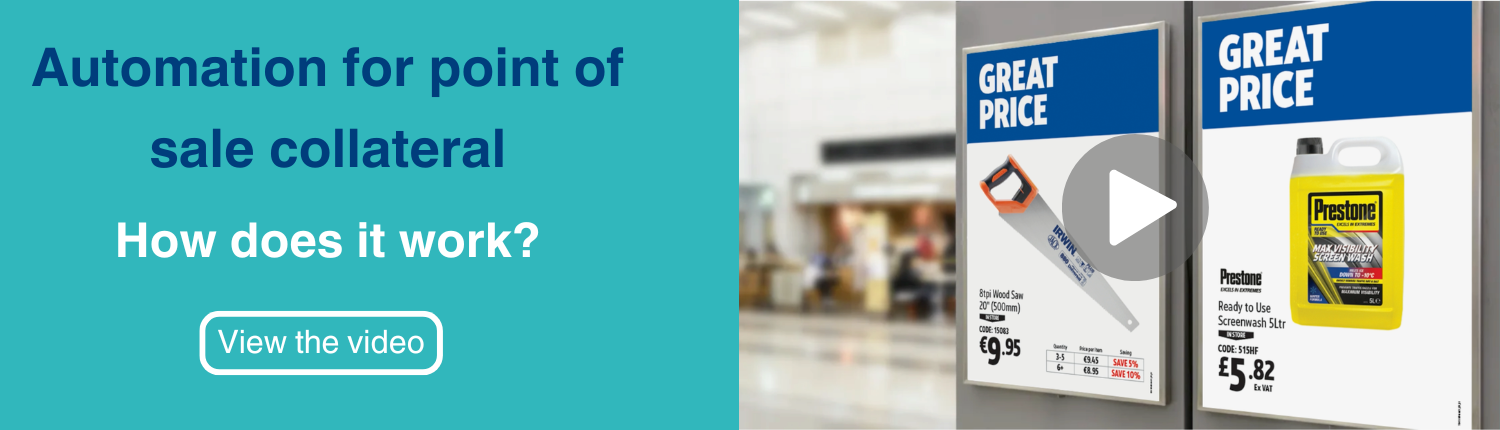
For example, a template for a promotional poster might include placeholders for product name, price, image, and discount percentage. When connected to a product database, the system can automatically generate hundreds (or even thousands) of variations of that poster for different products, regions, or campaigns.
How Product Data Powers the Automated POS Process
-
Data Standardisation and Structuring
The first step in enabling automated POS artwork is ensuring that product data is clean, consistent, and well-structured. This means standardising naming conventions, categorising products correctly, and ensuring that all required attributes are populated.
Without this foundation, automation can lead to inconsistent or incorrect outputs. For instance, if product descriptions vary in length or format, they may not fit properly within a design template.
-
Template Design and Logic
Designers play a crucial role in creating flexible templates that can accommodate different types of product data. These templates are built with rules and constraints that dictate how content should be displayed.
For example, a template might specify that if a product name exceeds a certain character limit, the font size should automatically adjust. Or, if a product is on sale, a promotional badge should appear.
-
Data Integration
Once templates are in place, they are connected to the product data source. This allows the system to pull in real-time data and populate the templates automatically.
This integration ensures that any updates to product data, such as price changes or new images, are instantly reflected in the generated artwork.
-
Batch Generation and Distribution
With everything connected, brands can generate POS artwork at scale. Whether it’s creating shelf labels for thousands of products or producing localised posters for different regions, automation makes it possible to produce high volumes of assets quickly and with minimal manual intervention.
These assets can then be distributed directly to stores, printed on demand, or published digitally across various channels.
Benefits of Data-Driven POS Automation
Speed and Efficiency
Automation significantly reduces the time required to create POS materials. What once took days or weeks can now be accomplished in minutes.
Accuracy and Consistency
By using a single source of truth for product data, brands can ensure that all POS materials are accurate and consistent. This reduces the risk of errors and enhances brand credibility.
Scalability
As product ranges grow and marketing campaigns become more complex, automation allows brands to scale their POS production without increasing workload proportionally.
Personalisation and Localisation
Automation makes it easier to tailor POS materials to specific audiences. Whether it’s translating content, adjusting pricing, or highlighting region-specific promotions, product data enables highly targeted messaging.
Real-World Applications
Retailers are already leveraging product data to automate a wide range of POS materials, including:
- Shelf edge labels
- In-store posters and banners
- Digital signage
- Promotional flyers
- Packaging inserts
For example, a supermarket chain can automatically generate weekly promotional signage based on updated pricing and inventory data. Similarly, a global brand can produce localised POS materials in multiple languages in minutes, ensuring consistency across markets.
The Future of POS Artwork
As technology continues to evolve, the role of product data in POS automation will only grow. Advances in artificial intelligence and machine learning are enabling even more sophisticated capabilities, such as automated design optimisation and predictive content generation.
In the future, we can expect systems that not only generate artwork but also analyse performance data to refine designs in real time. Imagine POS materials that automatically adapt based on customer behaviour, sales trends, or even weather conditions.
Conclusion
Product data is a strategic driver of creativity, efficiency, and scalability. By harnessing the power of structured data and automation, brands can revolutionise how they create and manage POS artwork.
The shift from manual processes to data-driven automation unlocks a host of new possibilities. With the right foundation in place, businesses can deliver more relevant, engaging, and consistent visual experiences to their customers, wherever they are.
In a world where speed and personalisation are paramount, product data is the key to staying ahead.
Ready to benefit from automated POS artwork? We can help. From structuring your product data, to building templates, refining your publishing processes, or providing training to your in-house designers, our team are on hand to support. Learn more about automated POS or get in touch today.


Leave a Reply
Want to join the discussion?Feel free to contribute!